
Updating agency profile
This step-by-step guide will show you how to view and edit information about your agency, like your agency details or address.
1. Access 'Agency management' tools
Sign in to Expedia TAAP, open the TAAP Menu and select Agency management.
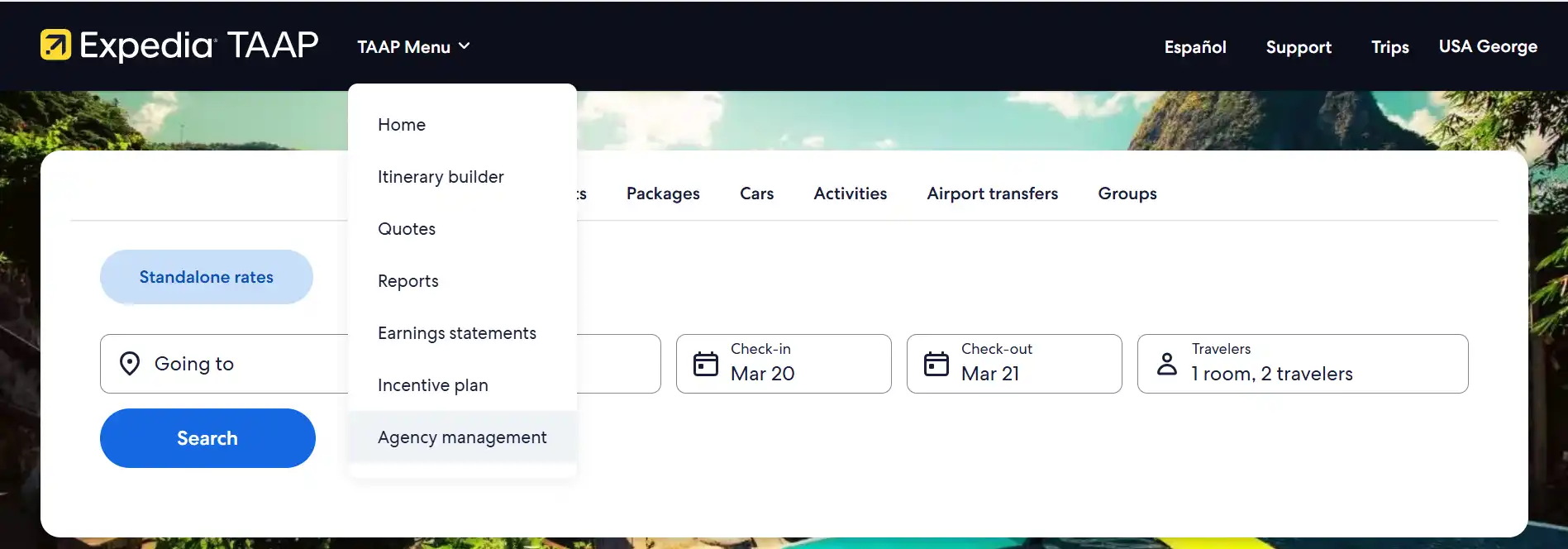
You will be redirected to the agency management app in the partner portal.
2. Select 'Profile'
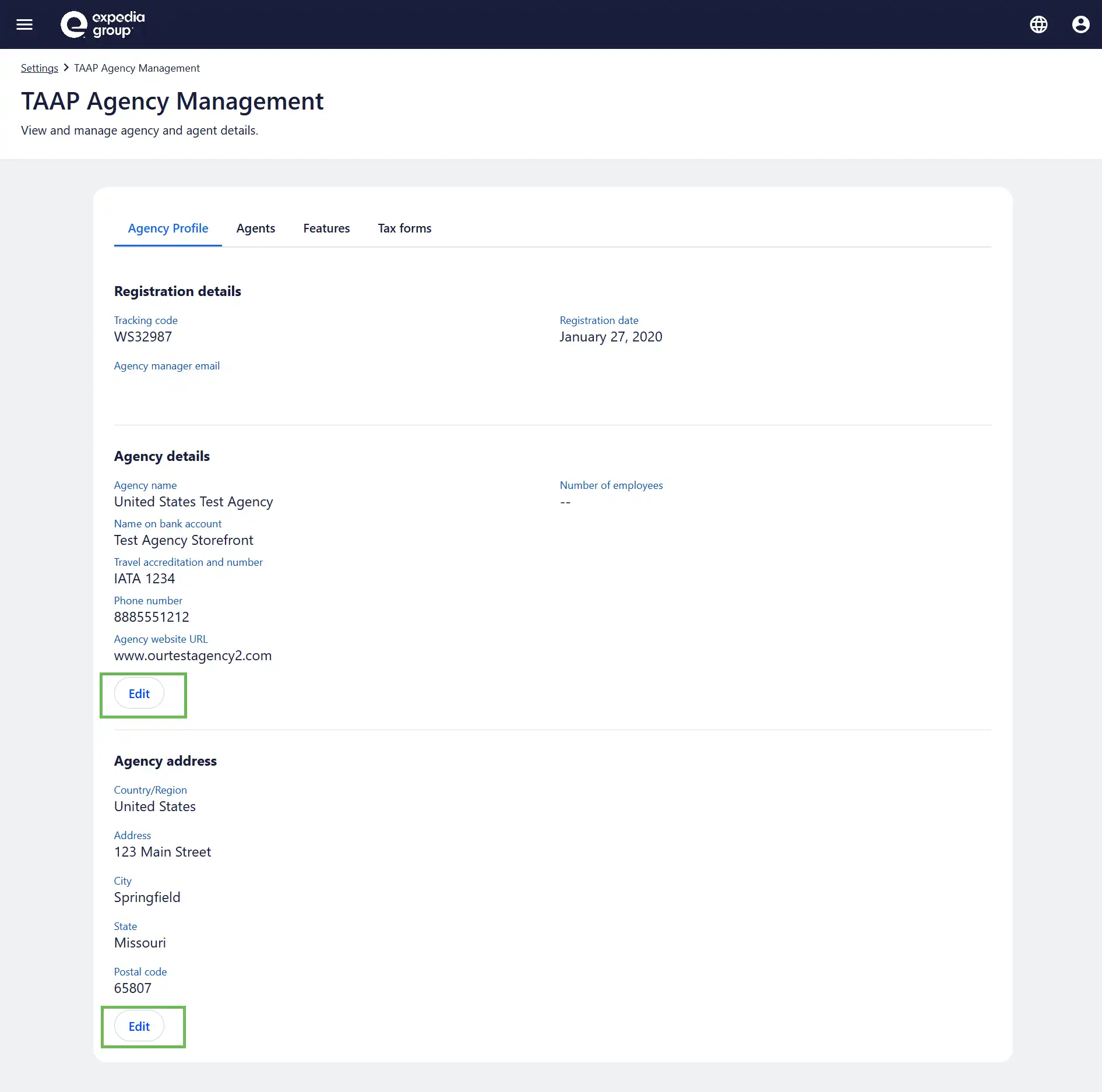
From the Profile tab, you'll have the option to edit Agency details or Agency address. Click Edit to make any necessary changes.
Once done, don't forget to select Save changes.
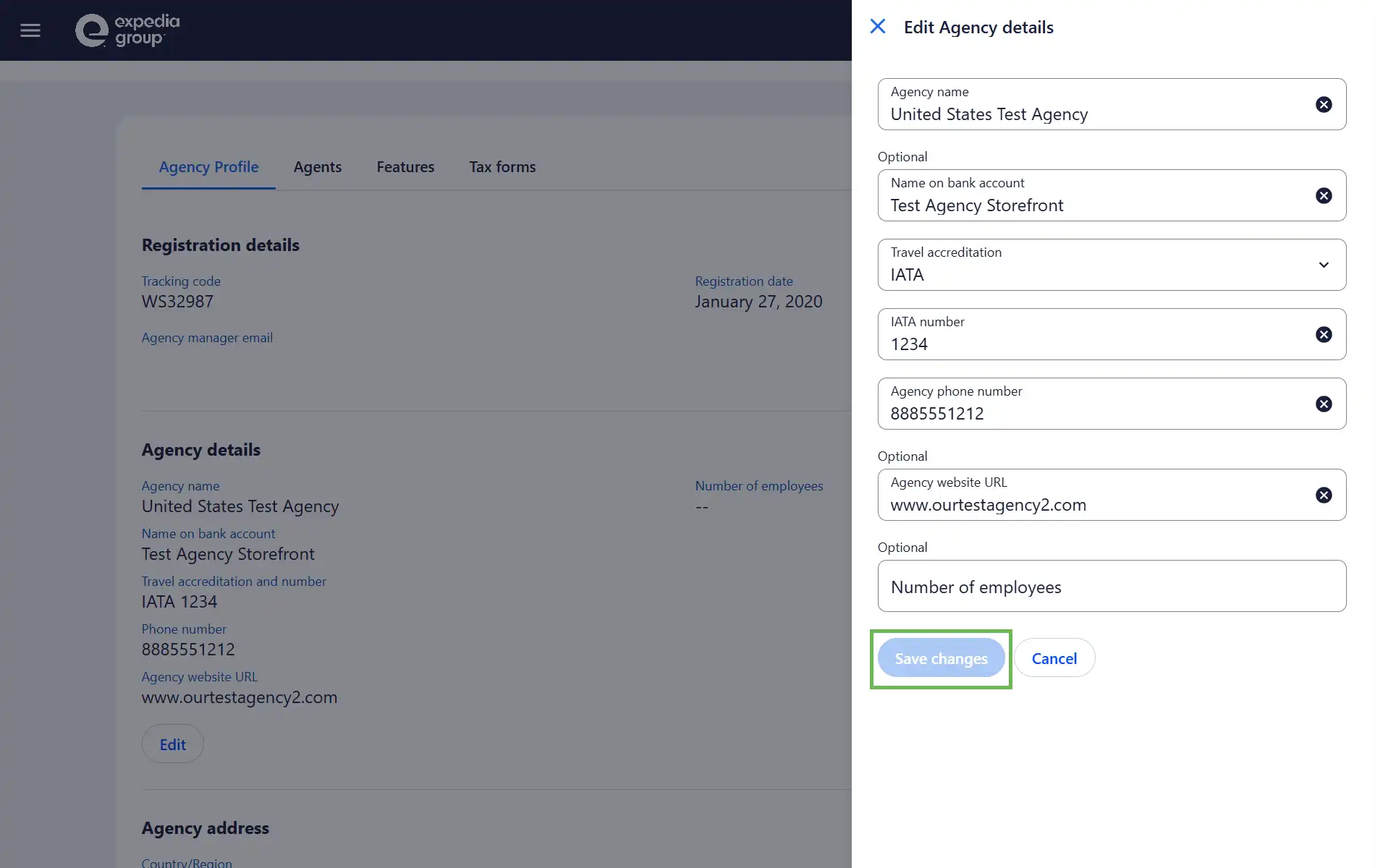
Any changes made will be immediately applied to your agency’s profile.