
Book a property and pay later with deferred payment
Deferred payment is a feature that allows you to book pre-paid property rates without the need for immediate payment, giving you the flexibility to pay up to 7 days before the free cancellation date.
Deferring payment is eligible for:
- Property bookings only
- Bookings made 14 and 365 days before arrival
- Refundable rates and rates that do not require a deposit
- Expedia collect rates (Expedia takes the payment, not the property)
- Standalone and package rates
Follow these two easy steps to book a property and defer its payment.
1. Select the property and rate
On the search results page, choose the property you want to book.
On the property details page, click Select a room. Next, select the refundable rate you want to book. Remember that non-refundable rates are not eligible for deferred payment.
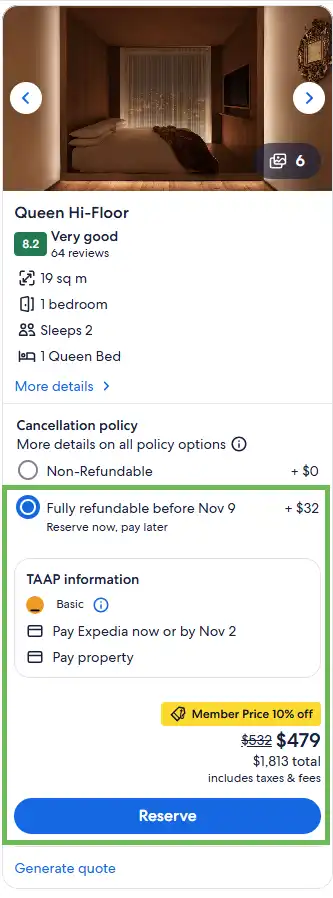
2. Choose the 'Pay Expedia' option
Once the right rate is selected, under ‘Payment options' pick Pay Expedia.

3. During checkout, select the option to defer payment
On the checkout page, look for the green banner for the deferred payment option. Check your agency’s deferred payment balance. If your balance is too low, you can pay off other deferred payment bookings, which will add credit to your balance.
To book using deferred payment, select the option to Pay Expedia later. Select the date (up to 7 days before the cancellation date) for the payment to automatically process. Click Complete booking to proceed with your booking.

Note: only the debit/credit card payment option can be used when making a booking with deferred payment. No other payment options can be used.