
Submitting tax forms
Expedia TAAP is part of the Expedia Group, a registered company in the United States. All businesses that earn income from Expedia TAAP need to complete an IRS tax form. Submitting your tax form is vital, as it allows Expedia TAAP to pay your commissions in a timely manner.
1. Access 'Agency management' tools
Sign in to Expedia TAAP, open the TAAP Menu and select Agency management.
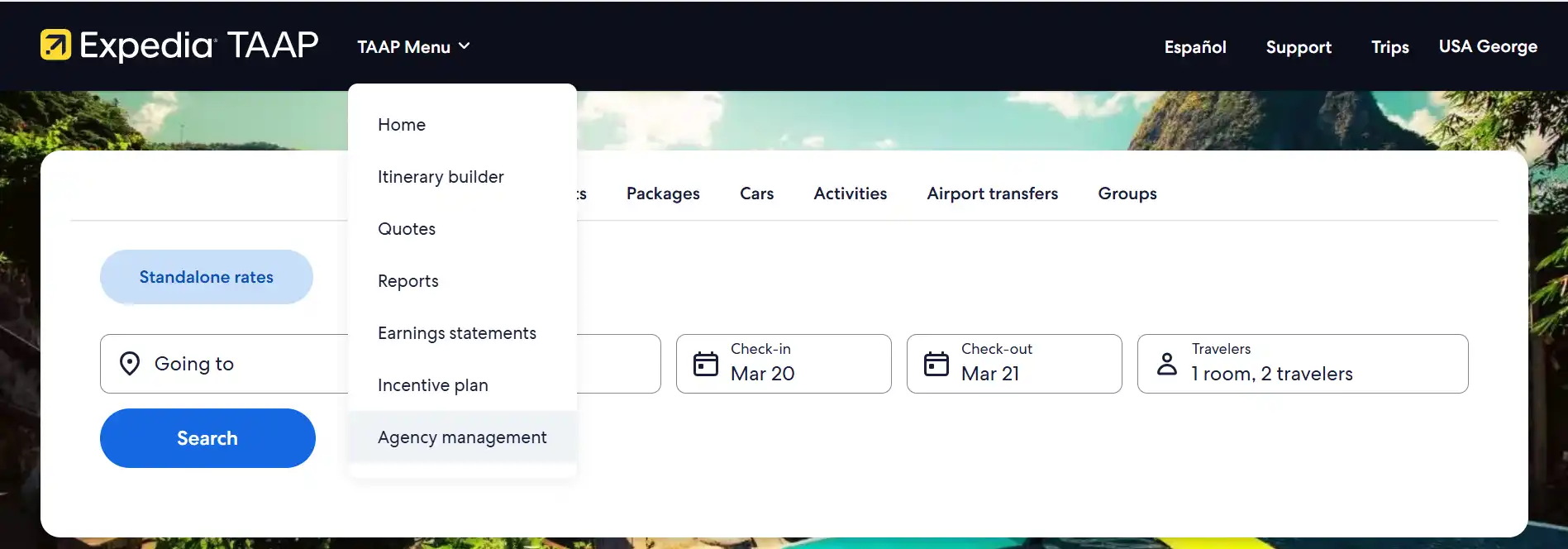
You will be redirected to the agency management app in the partner portal.
2. Click on 'Tax forms'
To process commission payments, we need a valid tax form on file. The type of form you need to fill out depens on where your agency operates and if it's represented by an individual or a business entity.
- W9 form: If your agency operates in the United States
- W8-BEN form: If your agency operates outside of the United States and is represented by an individual
- W8-BEN-E form: If your agency operates outside of the United States and is represented by a business entity
Select Start tax form submission and answer the questions to determine which form you need to submit.

3. Fill out form
Once you select the right tax form, accept the Adobe terms and conditions at the bottom of the page to start completing the form.
We’ve made it easy for you to complete the form, just follow the prompts. If information is missing, we will let you know before you can submit the form.

4. Sign and submit form
Once you have completed all the mandatory fields Click to sign and submit the form.

Once submitted, you will receive an email from Adobe Sign adobesign@adobesign.com with your signed form.
Please note, tax form review can take up to 5 business days. You can check the status or decision anytime on the tax form tab - no notification will be sent.